
Get More From the Servers Your Business Relies On.
Server configuration and upgrades in Nigeria, including operating system setup, memory and storage expansion, firmware checks and handover.
Your Next Server Improvement May Not Require a Complete Replacement.
The right assessment helps determine what should be reconfigured, upgraded or replaced.
Improve Server Capacity
Expand compatible memory, storage and other hardware resources to accommodate changing workload requirements.
Support Better System Performance
Review relevant server configurations and hardware limitations to identify suitable performance improvements.
Maintain Platform Compatibility
Evaluate supported operating systems, firmware, drivers and components before implementing important changes.
Plan Changes With Greater Control
Coordinate upgrades with appropriate backups, maintenance arrangements, verification checks and documented handover.
Understand the Existing System. Make the Right Changes.
We help organisations assess existing servers, identify appropriate changes and implement agreed improvements with attention to compatibility and operational requirements.

Know What's Running Before You Change It.
Every server environment has different responsibilities, dependencies and capacity requirements.
We review relevant hardware specifications, installed components, operating-system information, server roles, utilisation concerns and reported performance issues.
This helps identify possible configuration problems, hardware limitations and upgrade opportunities that should be considered before implementation.
Know What's Running Before You Change It.
Every server environment has different responsibilities, dependencies and capacity requirements.
We review relevant hardware specifications, installed components, operating-system information, server roles, utilisation concerns and reported performance issues.
This helps identify possible configuration problems, hardware limitations and upgrade opportunities that should be considered before implementation.
Better Performance Starts With the Right Technical Work.
Explore the hardware and configuration activities involved in maintaining and improving business server environments.
Images illustrate the equipment and work involved.
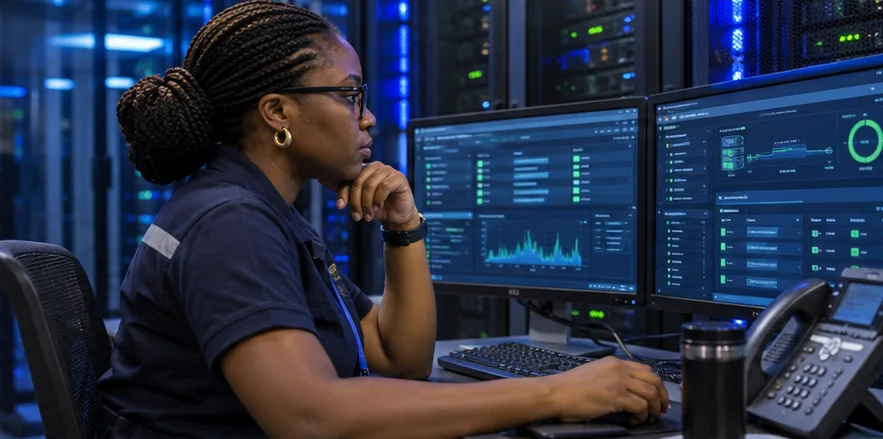
Server Configuration & Administration
Reviewing appropriate operating-system settings, server roles and management interfaces for the intended workload.
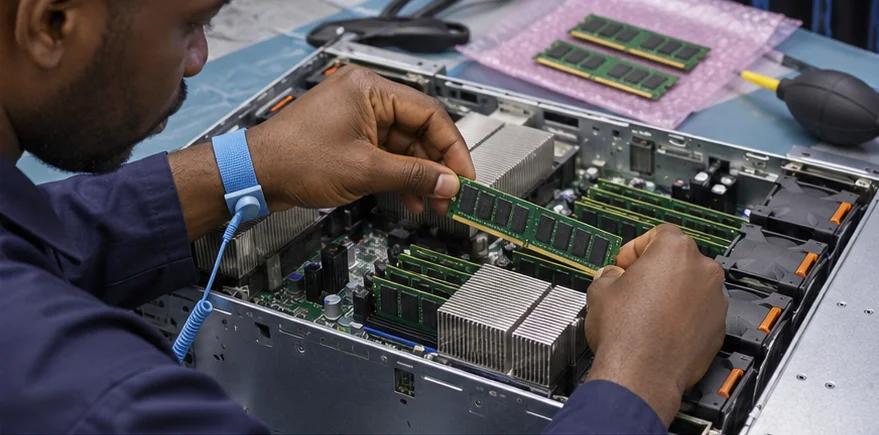
Enterprise Server Memory Upgrades
Installing compatible memory components according to supported hardware configurations and manufacturer population requirements.
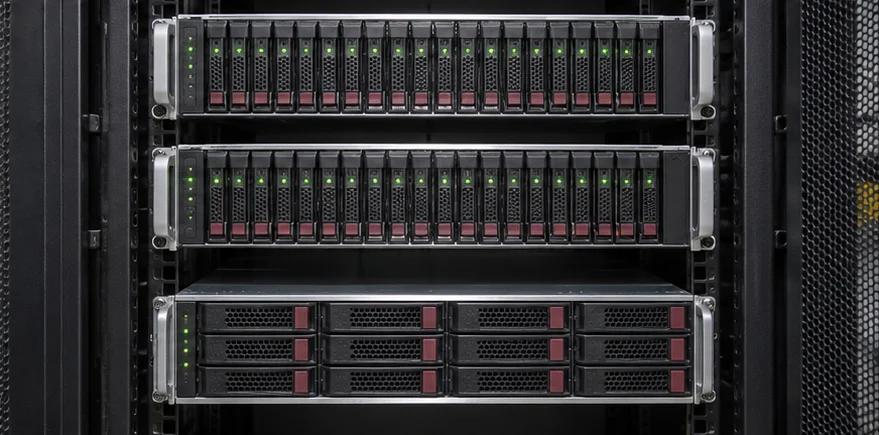
Server Storage & Component Expansion
Reviewing and installing suitable storage drives, interfaces and hardware accessories to address changing capacity requirements.
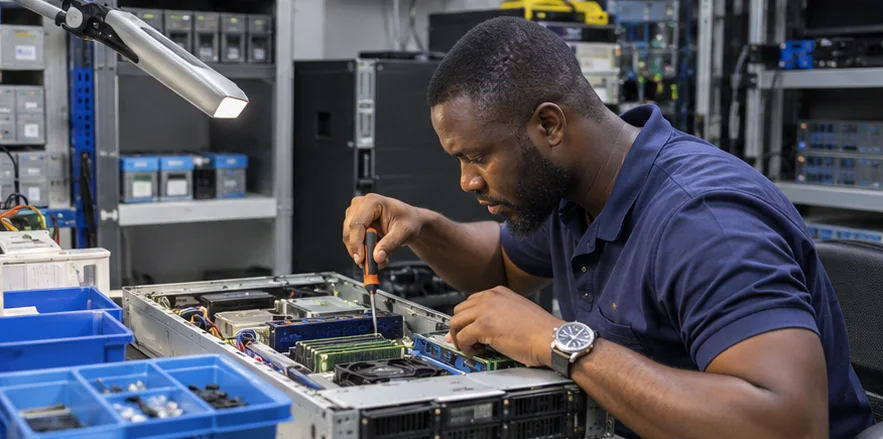
Firmware Maintenance & Verification
Performing approved firmware or system updates and reviewing relevant hardware status and configuration information.
Your Enterprise Server Questions, Answered.
Server configuration involves setting up and managing the software, hardware settings and system parameters required for a server to perform its intended functions. This may include operating-system setup, network settings, storage configuration, server roles and management access.
A server upgrade improves or changes an existing server's hardware or software to meet new requirements. Examples include adding compatible RAM, expanding storage, updating firmware or moving to a supported operating-system version.
Integrated Solutions Technology offers server configuration and upgrade services for business and enterprise environments. Projects are assessed according to the server model, existing configuration, required changes and technical scope.
Pricing depends on the server type, required hardware components, software licences, configuration complexity, installation conditions and verification requirements. An assessment of the existing environment helps establish an appropriate quotation.
Many enterprise servers support memory upgrades, subject to the model's specifications, available memory slots, processor configuration and supported memory types. Compatibility must be checked before purchasing and installing additional modules.
It may be possible to install compatible SSDs or change the storage configuration, depending on the server model, drive bays, controller support and existing data arrangement. Any replacement affecting stored data requires suitable backup and migration planning.
Yes, where the hardware and storage configuration support expansion. Options may include compatible drives, additional enclosures or separate storage systems. The implementation depends on controller capabilities, available capacity and data protection requirements.
Windows Server and Linux-based environments require different skills, licensing arrangements and supported procedures. The particular distribution, version, server role and configuration requirements should be confirmed before agreeing to implementation.
A Windows Server upgrade may be possible if the existing edition, target version, hardware, applications and server roles meet the supported upgrade requirements. Some environments may require migration to a new installation rather than an in-place upgrade.
An operating-system upgrade changes the software platform on an existing server installation where supported. A migration transfers applications, services or data to another environment or installation. The appropriate method depends on compatibility, risk and operational requirements.
A suitable physical server can be prepared for a compatible virtualisation platform, subject to processor features, memory, storage, networking and hypervisor requirements. Hypervisor licensing and the intended virtual-machine workloads must also be considered.
Supported firmware updates may address specific issues, compatibility requirements or security vulnerabilities. However, an update should be selected based on the server model, manufacturer's release information and existing system condition—not on the assumption that every update will improve performance.
BIOS or UEFI firmware supports low-level system initialisation and hardware control. Other device firmware operates components such as storage controllers and network adapters. Drivers allow the operating system to communicate with supported hardware. Each has different compatibility and update requirements.
Some maintenance tasks may be possible while a server remains operational, depending on the equipment and workload. Many hardware changes, firmware updates and operating-system upgrades require restarts or planned service interruptions. Downtime expectations should be agreed in advance.
Backup requirements should be established before any change that could affect operating systems, configurations or data. Appropriate backup verification, recovery arrangements and responsibilities must be included in the agreed project plan.
Customer-supplied servers can be assessed for configuration, subject to their condition, hardware compatibility, required software licences, administrative access and available technical support.
Servers from these product families may be assessed for configuration or hardware upgrade work. Support for a particular model or generation depends on the required change, compatible components, manufacturer guidance and available expertise.
Important factors include server age, manufacturer support status, current capacity, component availability, application compatibility, expected growth and the cost of proposed improvements. An assessment can help determine whether an upgrade offers suitable value or a replacement is more appropriate.
Server performance problems may involve insufficient memory, storage latency, processor demand, software issues or connected infrastructure. A review helps identify possible causes before recommending changes.
The timeframe depends on the type of upgrade, hardware availability, operating-system requirements, backup readiness, configuration complexity and acceptable maintenance window. The schedule should be established after reviewing the existing environment.
Relevant documentation can be included in the agreed scope. This may cover installed components, applicable system settings, version changes, performed checks and outstanding recommendations.
Useful details include your facility location, server manufacturer and model, installed operating system, current hardware specifications, required changes, running applications and any restrictions on downtime.
Contact Integrated Solutions Technology with details of your current server environment and the improvements you want to achieve. We can review the requirements and discuss the appropriate assessment and implementation scope.
Your Server Still Has a Job to Do. Let's Make Sure It's Ready.
Whether you're expanding hardware capacity, improving server configuration or planning an operating-system upgrade, Integrated Solutions Technology can help you assess the options and implement suitable changes.